Fenly vs Fireflies: which one to pick in 2026?
Fireflies is probably already doing what it promises for you: recording everything, transcribing everything, storing everything. And still, at the end of the week, you keep opening summaries to find out what was agreed, with whom, and what's yours to do. The problem isn't capturing the conversation. It's what happens to it afterward.
This comparison is written by the Fenly team. We'll be direct about where Fireflies beats us, because faking neutrality would insult your intelligence. Our commitment is to verifiable, dated facts, so you decide based on your work, not our marketing.
Fireflies is one of the most complete meeting transcribers around: cheap unlimited transcription, dozens of languages, upload of old recordings and 100+ integrations. Fenly records and transcribes meetings too, but solves a different problem: it turns meetings, emails, WhatsApp and chats into a daily briefing, separates your own commitments from colleagues' follow-ups, organizes everything into structured tasks, and keeps a queryable memory of your work, with no credit system.
- You need to transcribe in dozens of languages for a global team, or transcribe old audio and video files by upload
- Your team is in sales and needs conversation intelligence and an auto-filled CRM (on the Business plan)
- You want one of the lowest per-seat prices for unlimited transcription on the market
- Your company already runs on a big tool ecosystem and the 100+ integrations solve the fit
- Your day is made of meetings, emails, WhatsApp and chats, and you need one view of what matters: a daily briefing
- You want AI to separate what IS your commitment from a colleague's follow-up, and turn it into a task with due date, priority and subtasks
- You want to ask anything about your work and get an answer, without counting AI credits per question
- You want to see each person in your work on a single timeline, with everything that passed between you on any channel
- You work in Portuguese and want prices in reais, no FX, with LGPD (Brazilian data protection law) compliance
What each tool does well
What Fireflies does well
One of the most widely adopted players in the category, with strong presence in mid-market and enterprise teams. A mature product at what it sets out to do.
What Fenly does well
It starts from a different premise: capturing the conversation is the beginning of the work, not the end.
Fenly vs Fireflies: side by side
Data verified in July 2026. Fireflies prices are in US dollars, monthly.
| Capability | Fenly | Fireflies |
|---|---|---|
| Meeting recording | Native on the Start and Pro plans, with a monthly meeting limit per plan | Unlimited from Pro; video recording only on Business |
| Portuguese transcription | Yes, optimized for pt-BR | Yes, among the dozens of supported languages |
| Audio/video upload to transcribe | Not offered today | Yes, straight from the dashboard |
| AI summary | Included on every meeting in the paid plans, no credit system | Summaries included, but advanced AI features consume credits limited per plan |
| Commitment extraction | Separates your own commitments from colleagues' follow-ups, automaticallyFenly advantage | Detects action items in a single list, without telling apart who owns them |
| Task management | Structured: description, priority, due date and subtasks, grouped by project/epicFenly advantage | Not offered; action items stay in the summary or go to external tools via integration |
| Daily briefing | Yes: email + meetings + WhatsApp + chats consolidated every morningFenly advantage | Not offered; recaps and feeds cover meetings only |
| People view | A profile per person with an omnichannel timeline (WhatsApp, email and meetings)Fenly advantage | Not offered; contact context lives in the integrated CRM (Business) |
| Queryable memory | Ask about commitments, projects and any topic across every connected source, with no credit limitFenly advantage | AskFred answers about meetings, consuming AI credits limited per plan (20 on Pro, 30 on Business); extra credits are paid separately |
| Day planner | Yes, fed by your extracted commitments, with quick themes at the start of the dayFenly advantage | Not offered |
| Focus mode / Pomodoro | Yes, built into the plannerFenly advantage | Not offered |
| Conversation intelligence for teams | Not offered | Yes: conversation metrics and dashboards on Business |
| Fenly | Fireflies | |
|---|---|---|
| Free plan | 7-day trial with full access, no card | Permanent free tier: transcription with limited credits and restricted storage, no relevant integrations |
| Entry plan | Start: R$ 79/mo, 20 recorded meetings/mo | Pro: US$ 18/user/mo; 8,000 min of storage per seat |
| Full plan | Pro: R$ 149/mo, 50 recorded meetings/mo | Business: US$ 29/user/mo; unlimited storage, video and CRM |
| Hidden costs | No credit system | AI credits on the side when the plan limit runs out (packs from US$ 5); users report unexpected charges |
| Currency and billing | Billed in Brazilian reais | Billed in US dollars |
| Fenly | Fireflies | |
|---|---|---|
| Onboarding | Connect your inbox and get your first briefing the next day | Connect your calendar and the bot joins your next meetings |
| Card required to try | No | No |
| Learning curve | Low: the briefing comes to you, no need to open the app to get value | Low to transcribe; the credit system and per-plan limits need attention |
| Fenly | Fireflies | |
|---|---|---|
| Meeting platforms | Meet, Zoom, Teams | Google Meet, Zoom, Microsoft Teams and others, via a bot through calendar sync |
| Yes, integrates with Gmail and Outlook (the basis of the briefing and people timeline) | Sends recaps by email; doesn't read your inbox as a source | |
| WhatsApp and chats | Integrated with WhatsApp as a source of memory and commitments | Sends summaries to Slack; doesn't read your chats |
| CRM | Not offered today | Salesforce and HubSpot on Business; not available on Pro |
| Automation | Not offered today | More than 100 integrations; the main ones restricted to Business |
| Fenly | Fireflies | |
|---|---|---|
| Regulation | LGPD (Brazilian data protection law), Brazilian company | GDPR and SOC 2; HIPAA only on Enterprise |
| Uses your data to train AI | No | Check their current privacy policy |
| Presence in meetings | Native recording, no bot | A visible bot joins every meeting via calendar |
| Support language | Portuguese, English and Spanish | English |
In pure transcription (languages, upload, per-seat price) and in features for sales teams on the Business plan, Fireflies wins. In the layer that comes after capture — briefing, commitments separated from follow-ups, structured tasks, memory with no credits, the context of people and executing the day — Fireflies doesn't play: it's not their product.
The 6 differences that matter
Transcribing everything vs knowing what to do
Fireflies is excellent at capturing: every word, in dozens of languages, forever searchable. The side effect is volume — a huge transcript, a long summary, an action-items list at the end. The information is all there, and that's exactly why it doesn't help you: someone still has to read, filter and decide. Fenly flips the question: instead of “what was said?”, it answers “what do you do with it?”. From the same meeting come the commitments that are yours, the follow-ups you need to chase, and the context that goes into tomorrow's briefing.
Action items in a list vs structured tasks
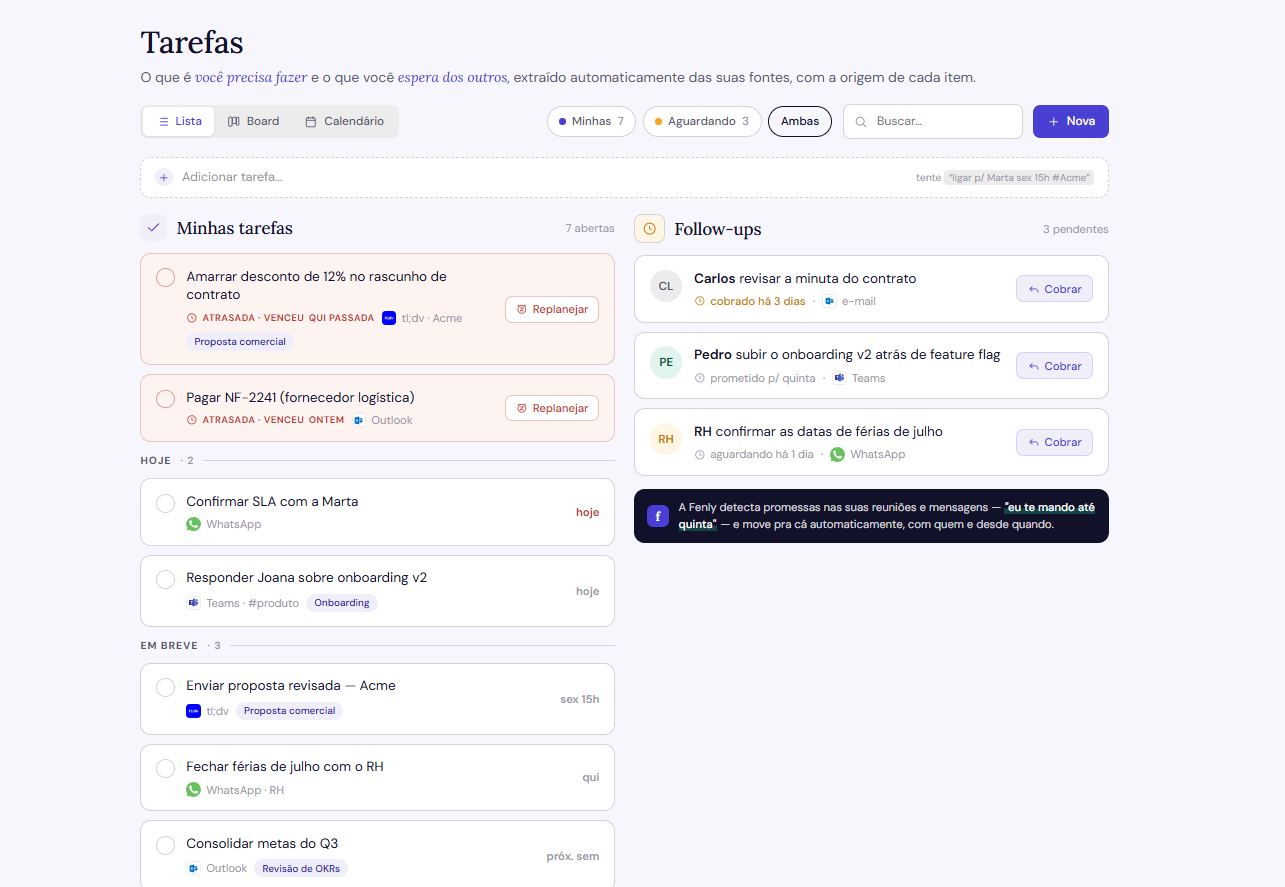
In Fireflies, the action item is born as a line of text in the summary. To become real work, someone copies it to another tool, sets a due date, adds context. Integrations help move the text around, but moving isn't structuring. In Fenly, the extracted commitment is born a task: description, priority, due date and subtasks when it makes sense, grouped by project, epic or initiative. At the start of the day, Fenly sets aside the quick items for you to clear in a batch before deep work.
A meetings feed vs a whole-day briefing
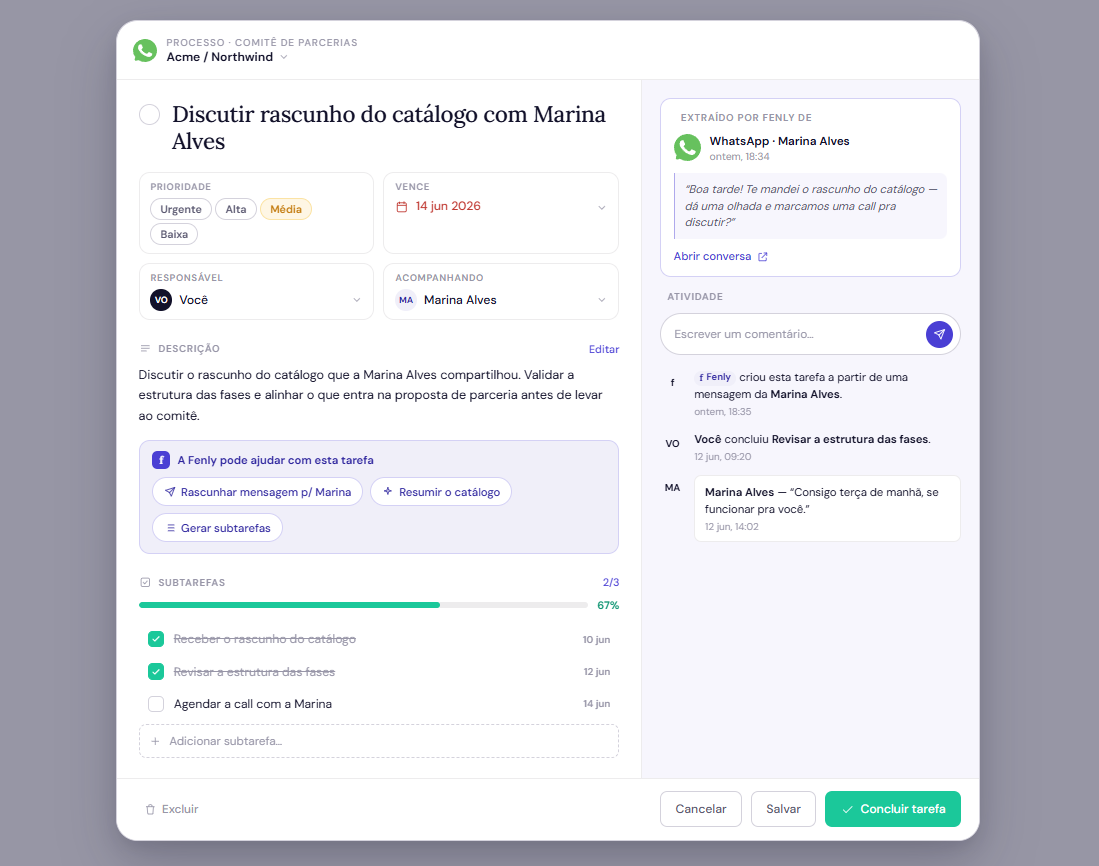
Fireflies gives you a feed of your meetings: recaps, notifications, Slack channels. All about meetings. But the decision that changed your day may have arrived by email at 7pm, and the deadline may have been agreed on WhatsApp. Fenly's briefing covers the whole workday — email, meetings, WhatsApp and chats — consolidated every morning into a 2-minute read. You don't assemble the puzzle across tools; it arrives assembled.
A CRM contact vs a person with history
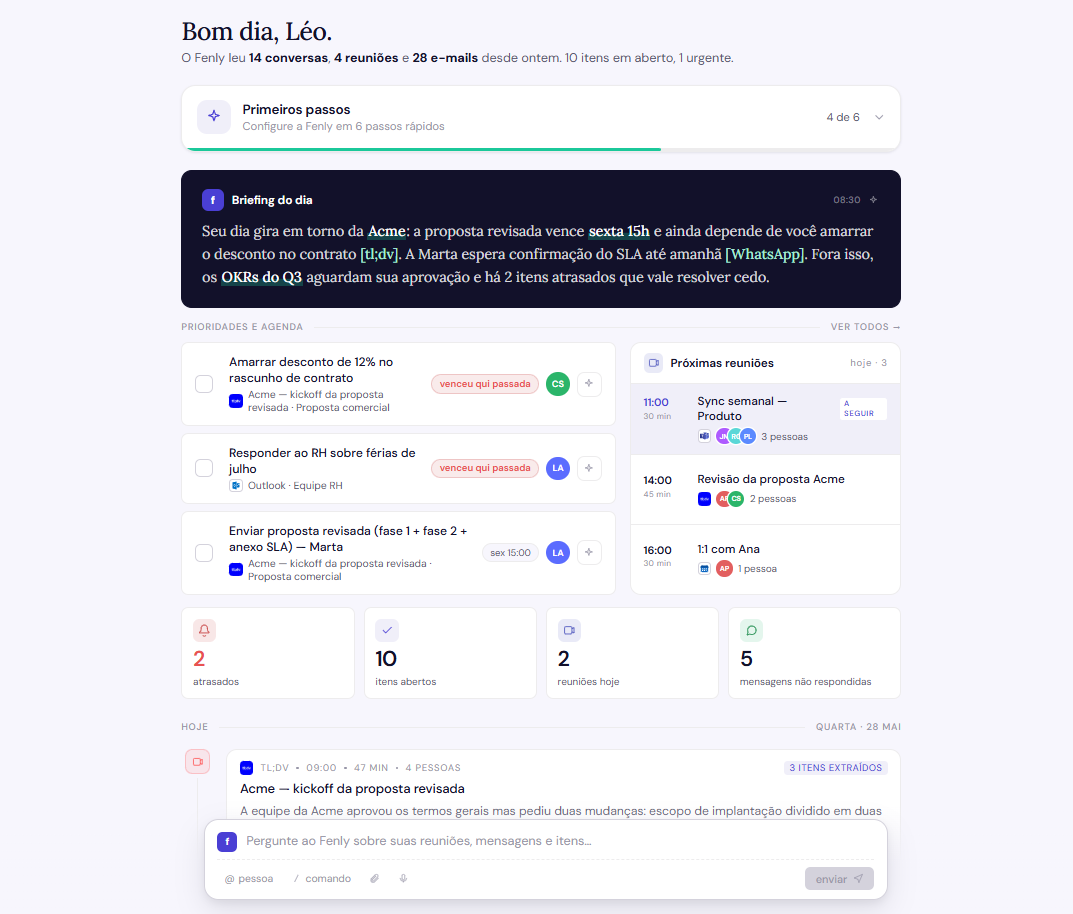
In Fireflies, context about people is a Business-plan feature and lives in the CRM: the Salesforce fields filled in after the call. It works for the sales pipeline. But your manager, the product team and the partner who only replies on WhatsApp aren't in the CRM. Fenly maps the people you deal with and builds an omnichannel timeline for each: meetings, emails and messages on a single line. Five minutes before a call, you open the person and review where you left off, on any channel.
Asking while spending credits vs asking freely
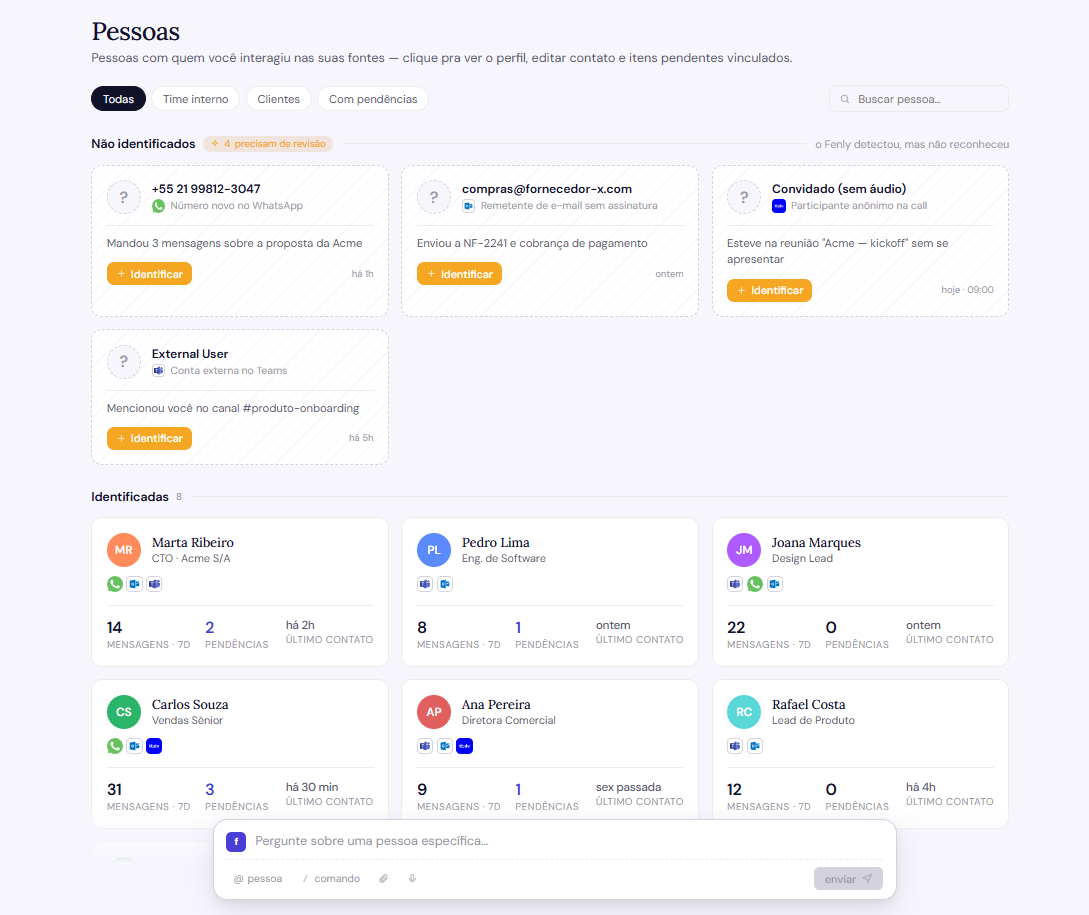
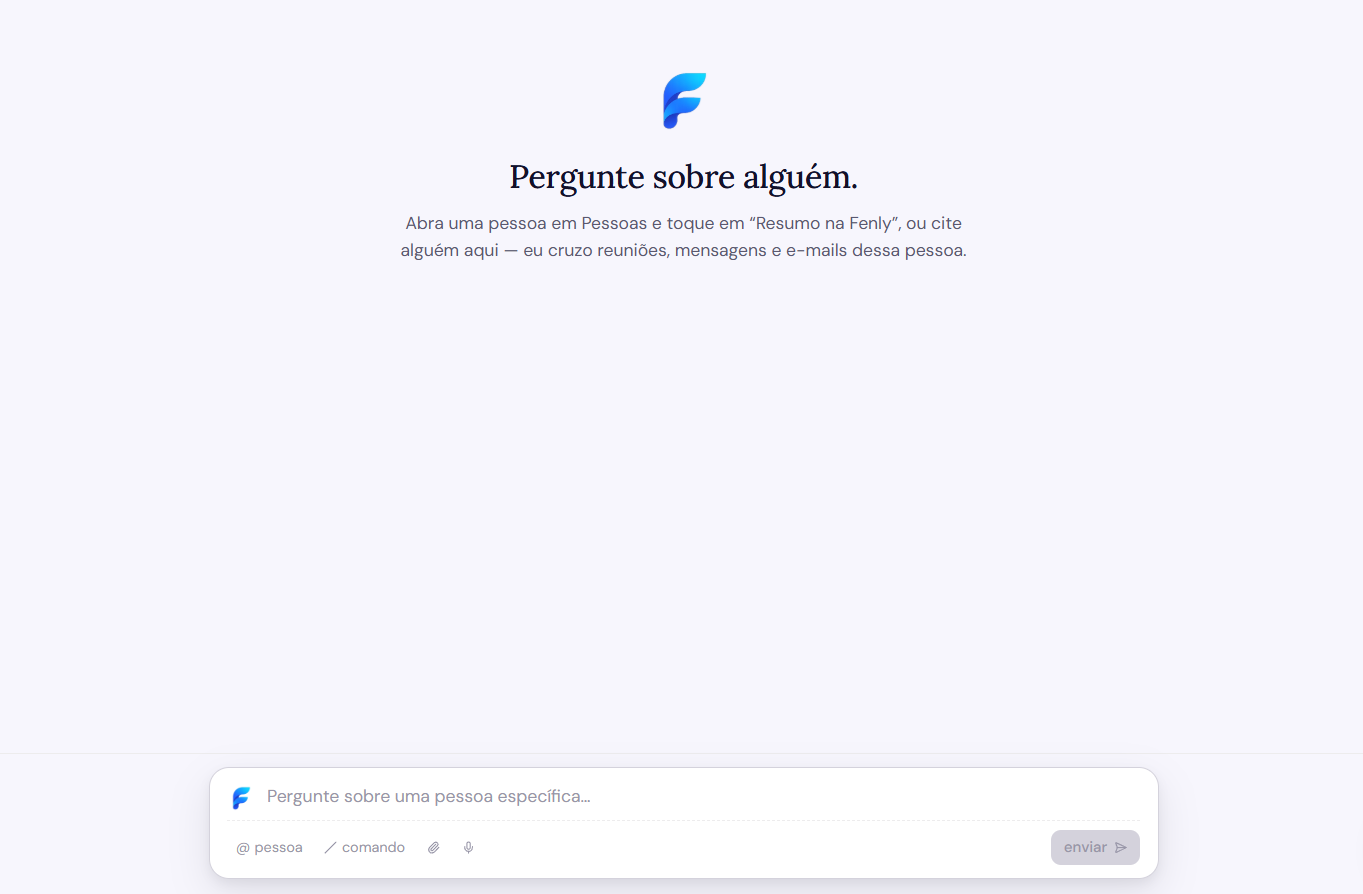
AskFred, Fireflies' AI assistant, is genuinely useful. The catch is the model: each question consumes AI credits, limited per plan (20 on Pro, 30 on Business), and when they run out, you either wait for the cycle to reset or buy extra packs. Heavy users report spending beyond the list price. Fenly's memory has no meter: ask as many times as you want, across any connected source. A work memory you hesitate to consult so you don't spend credits isn't a memory, it's a vault.
The meeting as an end vs the meeting as a channel
This is the philosophy difference that ties the previous ones together. For Fireflies, the meeting is the product: everything begins and ends with capturing the conversation. For Fenly, the meeting is one of the channels where your work happens, alongside email, WhatsApp and chats. A decision made over email counts as much as one made on a call, and both need to be in the same place: in your briefing, in your memory, on your people's timeline. If what you need is a searchable archive of everything that was said, Fireflies does that very well. If what you need is to run the day without dropping anything, consolidating is what solves it.
What each one costs
| Plan | Fenly | Fireflies |
|---|---|---|
| Free / Trial | 7 full days, no card | Permanent free tier with limits: restricted transcription credits and storage that fills up within weeks of regular use |
| Mid tier | Start: R$ 79/mo · 20 recorded meetings/mo | Pro: US$ 18/user/mo; 8,000 min of storage, no video, no CRM |
| Full | Pro: R$ 149/mo · 50 recorded meetings/mo | Business: US$ 29/user/mo; unlimited storage, video and CRM |
| Extra costs | None | AI credits beyond the plan limit: paid packs on the side, from US$ 5 |
*Fireflies prices verified in July 2026 on their official site and public sources. Monthly values in US dollars. Always check their pricing page before deciding.
Run Fenly next to Fireflies, without canceling anything
You don't have to choose in the dark. You can run both in parallel for a week.
Takes 2 minutes, no card. Your first briefing arrives tomorrow morning.
Compare it to the Fireflies summary: on one side, the action-items list; on the other, commitments and follow-ups separated, becoming tasks with due date and priority.
Something like “what's still pending this week?”, as many times as you want. No counting credits.
If Fireflies still makes more sense for your case, no hard feelings: for universal transcription, it's a reference. Start my 7-day trial →
Frequently asked questions about Fenly and Fireflies
Is Fenly a good Fireflies alternative?
What does Fireflies do better than Fenly?
Does Fenly record meetings like Fireflies?
Does Fenly have an assistant like AskFred?
How much do Fenly and Fireflies differ in price?
Is the Fireflies free plan worth it?
Does Fenly work in Portuguese?
Can I use Fenly and Fireflies at the same time?
See your first briefing tomorrow morning
Connect your inbox in 2 minutes. No card, no commitment, 7 full days.
Try Fenly free